
This is not something new to the most of VMware Admins out there, but still there are a lot of doubts about this and even VMware support engineer was not sure about the steps so I decided to put few steps with screen shot which help while troubleshooting the issue.
After the ESXi patch or update , if we find any abnormal behavior in the environment ,we can revert the changes to troubleshoot the issue and ever time when we update the ESXi host , a copy of the ESXi build will be saved on the host and very important is it permits only one level of roll back , since only one previous build can be saved at a time , once we reboot it will show up to two builds , one boot build and another standby build.
Reboot the host and press Shift+R to select the standby build.
So I want to revert the changes from 5.50 ( 3116895 ) to ( 2068190 )
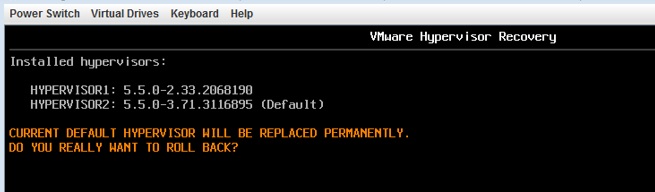
It will show the warning Current hypervisor will permanently be replaced
with build: X.X.X-XXXXXX. Are you sure? [Y/n]
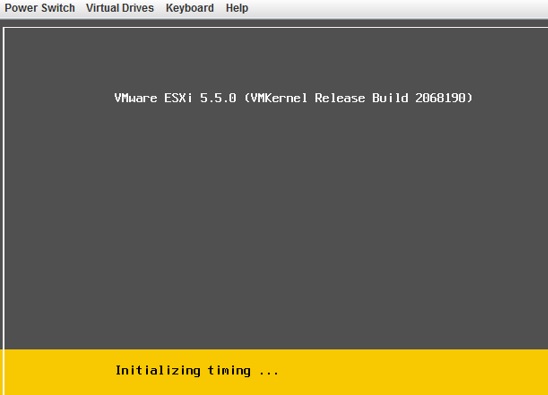
Press Shift+Y to roll back the build and reboot.

 Techbrainblog
Thanks a lot bro , you saved my ass.
LikeLike